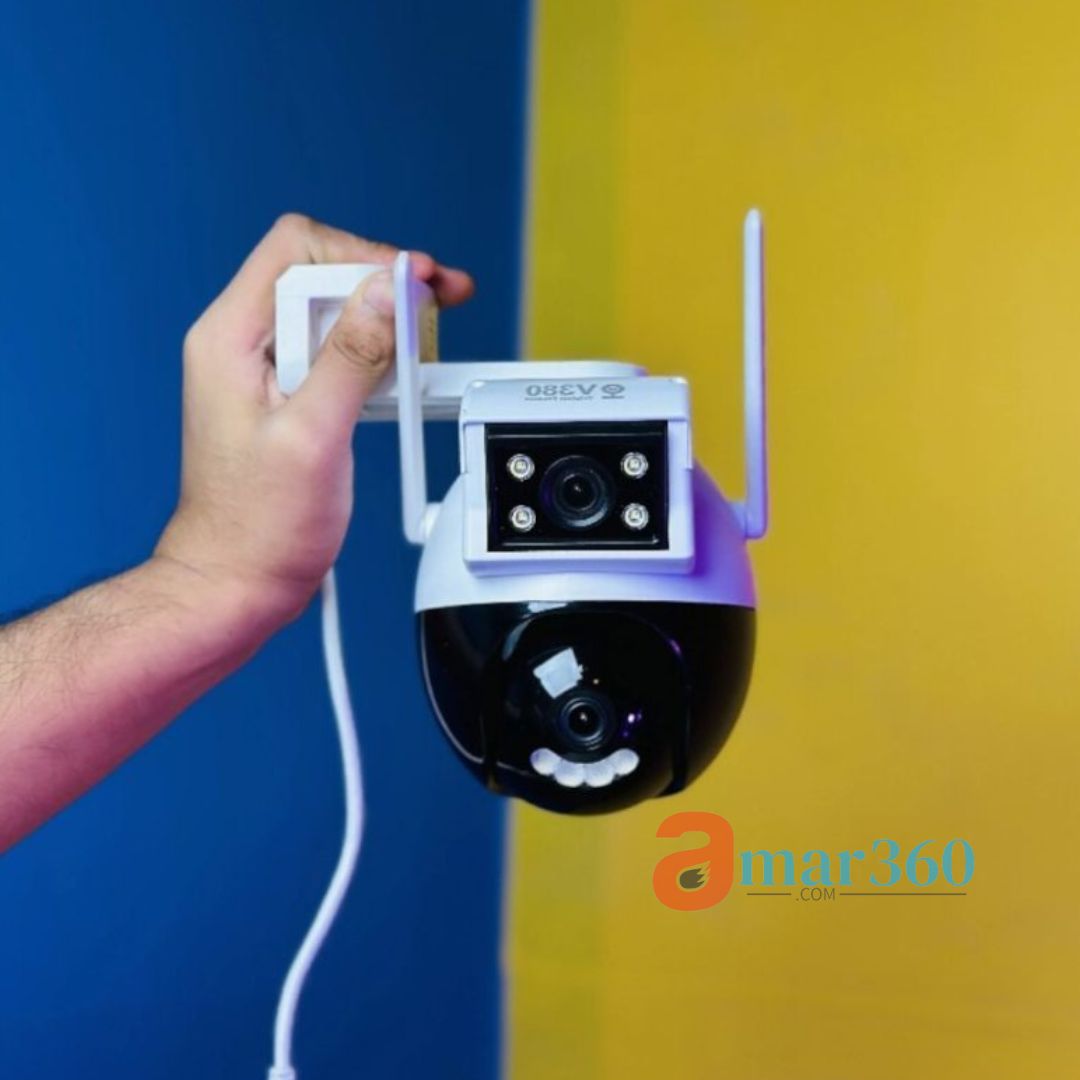
Q2027 V380 Pro WiFi PTZ Camera Price in Bangladesh
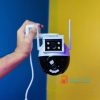
The Q2027 V380 Pro WiFi PTZ Camera is a cutting-edge wireless IP security camera designed to deliver reliable surveillance for homes, offices, shops, warehouses, and outdoor areas. With Full HD 1080p resolution, 360° PTZ (pan, tilt, zoom) control, infrared night vision, and two-way audio, this camera ensures round-the-clock monitoring and peace of mind.
Available in Bangladesh at Amar360, this camera combines advanced technology with easy setup, remote monitoring, and affordable pricing. Whether you want to monitor your children, pets, employees, or your property, the Q2027 V380 Pro is the ideal choice for both indoor and outdoor security needs.
🔑 Key Features
Full HD 1080p Resolution
Offers crystal-clear video quality for accurate surveillance.
Ideal for identifying faces, license plates, or small movements even from a distance.
Infrared Night Vision
Monitor effectively in low-light conditions or complete darkness.
Infrared LEDs automatically turn on when light levels are low.
360° PTZ Control
Pan horizontally, tilt vertically, and zoom digitally for complete coverage.
No blind spots; you can focus on any area in real-time.
Two-Way Audio
Built-in microphone and speaker allow live communication.
Useful for interacting with visitors, delivery personnel, or deterring intruders.
Smart Motion Detection
Sends instant alerts to your mobile device when suspicious activity is detected.
Adjustable sensitivity settings reduce false alarms.
Wireless WiFi Connectivity
Connect easily to your home or office WiFi network.
Avoids the need for complex wiring or professional installation.
Remote Monitoring via App
Use the V380 Pro app on Android and iOS devices to view live feeds, playback recordings, and control PTZ features from anywhere.
Weatherproof Design
Suitable for indoor and outdoor installation.
Protects against dust, rain, and other environmental factors.
Flexible Storage Options
Supports microSD cards up to 128GB for local storage.
Can also use cloud storage for secure, remote backup of footage.
📊 Detailed Specifications
| Feature | Description |
|---|---|
| Model | Q2027 V380 Pro |
| Camera Type | WiFi PTZ IP Security Camera |
| Video Resolution | Full HD 1080p |
| PTZ Coverage | 360° pan, tilt, digital zoom |
| Night Vision | Infrared LEDs |
| Audio | Two-way communication |
| Connectivity | Wireless WiFi |
| App Support | V380 Pro (Android & iOS) |
| Installation Options | Wall mount or flat surface |
| Storage Options | MicroSD card (up to 128GB), Cloud storage |
| Weather Resistance | Indoor & outdoor use |
| Power Supply | Included adapter |
| Motion Detection | Smart, customizable sensitivity |
| Warranty | 7 days replacement |
📦 What’s in the Box
1x Q2027 V380 Pro WiFi PTZ Security Camera
1x Power Adapter
Mounting Accessories (screws, brackets)
User Manual
🔧 Step-by-Step Installation Guide
1. Unboxing and Preparation
Carefully unpack the camera and accessories.
Ensure your WiFi network is stable and that you have a smartphone with the V380 Pro app installed.
2. Camera Mounting Options
Wall Mount: Use the included screws and bracket to mount the camera on a wall. Ensure it’s at least 8–10 feet high for maximum coverage.
Flat Surface: Place the camera on a table, shelf, or flat surface for indoor use.
3. Power Connection
Plug the camera into a power outlet using the provided adapter.
Wait 30 seconds for the camera to power up and initialize.
4. WiFi Setup via V380 Pro App
Open the V380 Pro app on your smartphone.
Tap Add Device > WiFi Camera > Scan QR code or enter the device ID.
Select your WiFi network and enter the password.
Wait for the camera to connect (usually under 2 minutes).
5. Testing PTZ Controls
Open the live feed in the app.
Swipe to pan left/right, tilt up/down, and pinch to zoom.
Adjust camera angles to cover all critical areas.
6. Night Vision Setup
Night vision activates automatically in low-light conditions.
Optional settings allow you to choose infrared or full-color mode for night-time monitoring.
7. Motion Detection and Alerts
Enable motion detection in the app.
Adjust sensitivity levels to avoid false alarms (e.g., pets, wind).
Enable push notifications to receive instant alerts on your smartphone.
8. Two-Way Audio Usage
Tap the microphone icon in the app to speak through the camera.
Built-in speaker broadcasts your voice to the monitored area.
9. Storage Configuration
Insert a microSD card (up to 128GB) for local recording.
Optionally, connect to cloud storage for remote backup.
10. Final Checks
Test all angles and zoom levels.
Confirm night vision and motion detection work correctly.
Make sure alerts are received on your smartphone.
🏡 Applications & Use Cases in Bangladesh
Home Security
Monitor entrances, windows, gardens, and driveways.
Keep track of children, pets, or caregivers.
Office & Shops
Track employees and customer movement.
Prevent theft and unauthorized access.
Warehouses & Factories
Protect valuable inventory with 360° surveillance.
Record and playback suspicious activity for investigation.
Public Spaces & Parking Lots
Monitor large areas like parking lots, schools, or community centers.
📈 Advantages of Using Q2027 V380 Pro
Affordable High-Quality Surveillance – Professional features at a competitive price.
Remote Monitoring – Real-time surveillance from your smartphone anytime, anywhere.
Multiple Use Cases – Suitable for residential, commercial, and industrial applications.
Weatherproof Durability – Reliable performance in rain, dust, or sunlight.
Flexible Storage – Cloud and microSD options for secure footage backup.
💡 Best Practices for Maximum Security
Position the camera at entrances and high-traffic areas.
Adjust PTZ angles to minimize blind spots.
Enable motion detection alerts for instant notifications.
Regularly check the microSD card or cloud storage for recordings.
Test night vision mode in low-light conditions.
Keep the V380 Pro app updated for new features and security patches.
❓ Frequently Asked Questions (FAQ)
Q1: Can the camera be used indoors and outdoors?
✅ Yes, the Q2027 V380 Pro is weatherproof and suitable for both indoor and outdoor installation.
Q2: How far can I view the camera feed remotely?
✅ Anywhere with internet access, via the V380 Pro app.
Q3: Can I communicate through the camera?
✅ Yes, it has two-way audio for speaking and listening.
Q4: Does it support cloud storage?
✅ Yes, you can use cloud storage or a microSD card for local storage.
Q5: How do I prevent false motion alerts?
✅ Adjust sensitivity settings in the app and avoid placing the camera near moving branches or pets.
🔄 Q2027 vs Other PTZ Cameras
| Feature | Q2027 V380 Pro | Generic PTZ Cameras | Price Comparison |
|---|---|---|---|
| Resolution | Full HD 1080p | 720p – 1080p | Affordable |
| PTZ Coverage | 360° pan/tilt/zoom | Limited pan/tilt | Competitive |
| Night Vision | Infrared LED | Infrared LED | Standard |
| Two-Way Audio | Yes | No | Extra cost |
| Remote App Control | V380 Pro | Limited | Excellent |
| Storage Options | MicroSD + Cloud | MicroSD only | Flexible |
| Weatherproof | Indoor/Outdoor | Indoor only | Value |
🛒 Buy Q2027 V380 Pro in Bangladesh
Get your Q2027 V380 Pro WiFi PTZ Camera today from Amar360.com. Enjoy:
Fast delivery across Bangladesh
Genuine product with warranty
Affordable price with excellent service



Reviews
There are no reviews yet.